HushBug
Live at hushbug.devA passive Chrome extension that monitors for console errors, failed requests, layout shifts, accessibility violations, and security gaps while you develop
Chrome extensions are distributed systems. MAIN world, content script, service worker, and side panel each run in isolation, connected by nonce-authenticated message passing.
All data stays in the browser during normal operation. Only Pro license validation hits the network — everything else is local.
Content script adds less than 5ms per page interaction. Total build is under 180KB. At that budget, the extension has no perceptible impact on page load or interaction speed.
260 unit + 84 integration, 100% pass rate
Across 5 categories: Console, Network, Performance, Accessibility, Security
All 4 contexts, 10 detectors, and the Preact side panel in one bundle
Designing the detection engine
The extension operates across 4 browser execution contexts with passive detection, nonce-authenticated messaging, and zero network requests during normal use
nonce-authenticated messaging
structured for AI agent paste
Designing a developer tool that stays out of the way
HushBug detects 10 issue types across 5 categories. The hard part is giving developers full control without getting in their way.
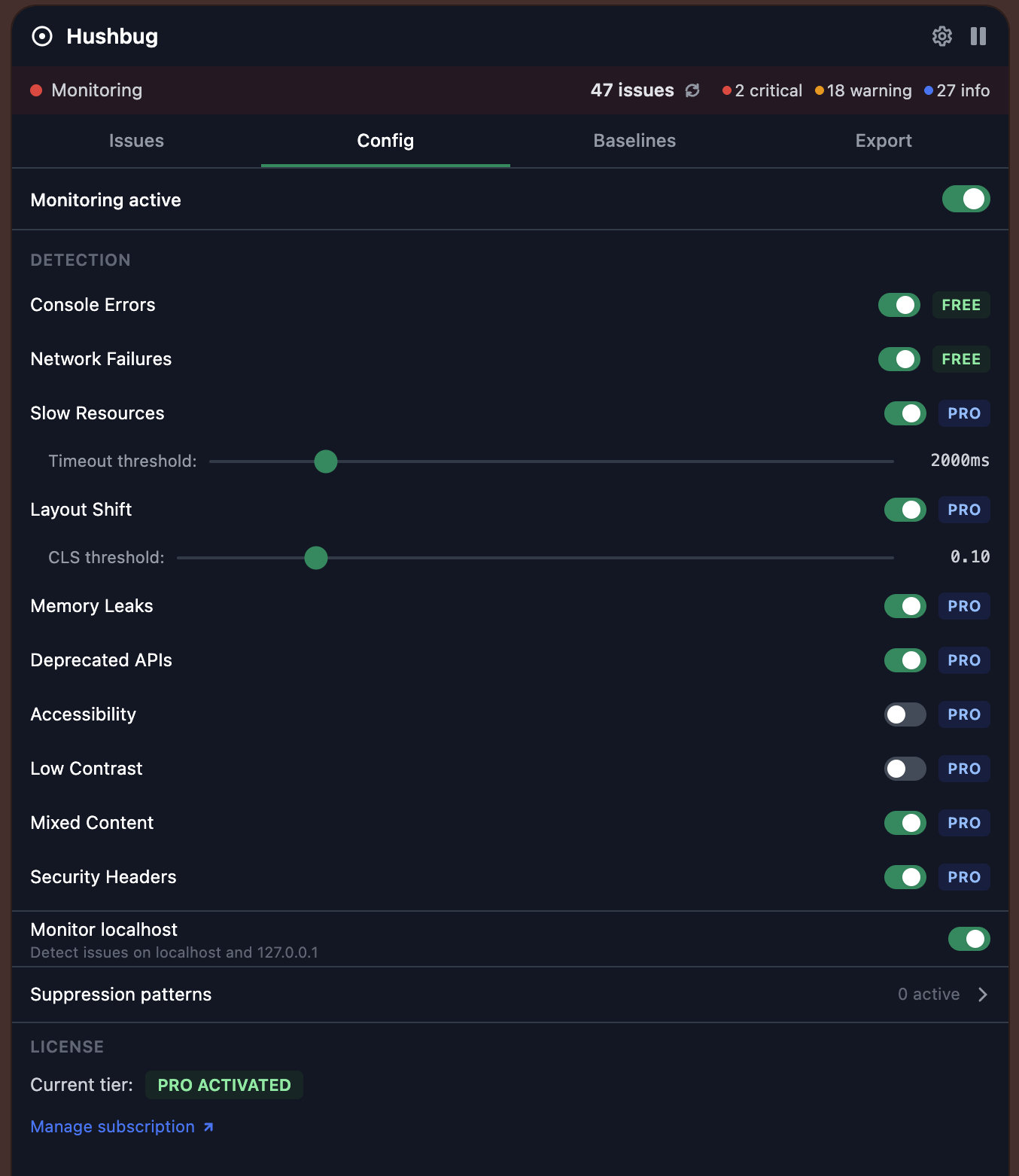
Individual toggles and thresholds per detector Each detector has its own toggle and threshold slider, grouped into 5 categories (Console, Network, Performance, Security, DOM). Turn on what you care about, ignore the rest. FREE/PRO badges on each detector show what's available on upgrade without locking anything down.
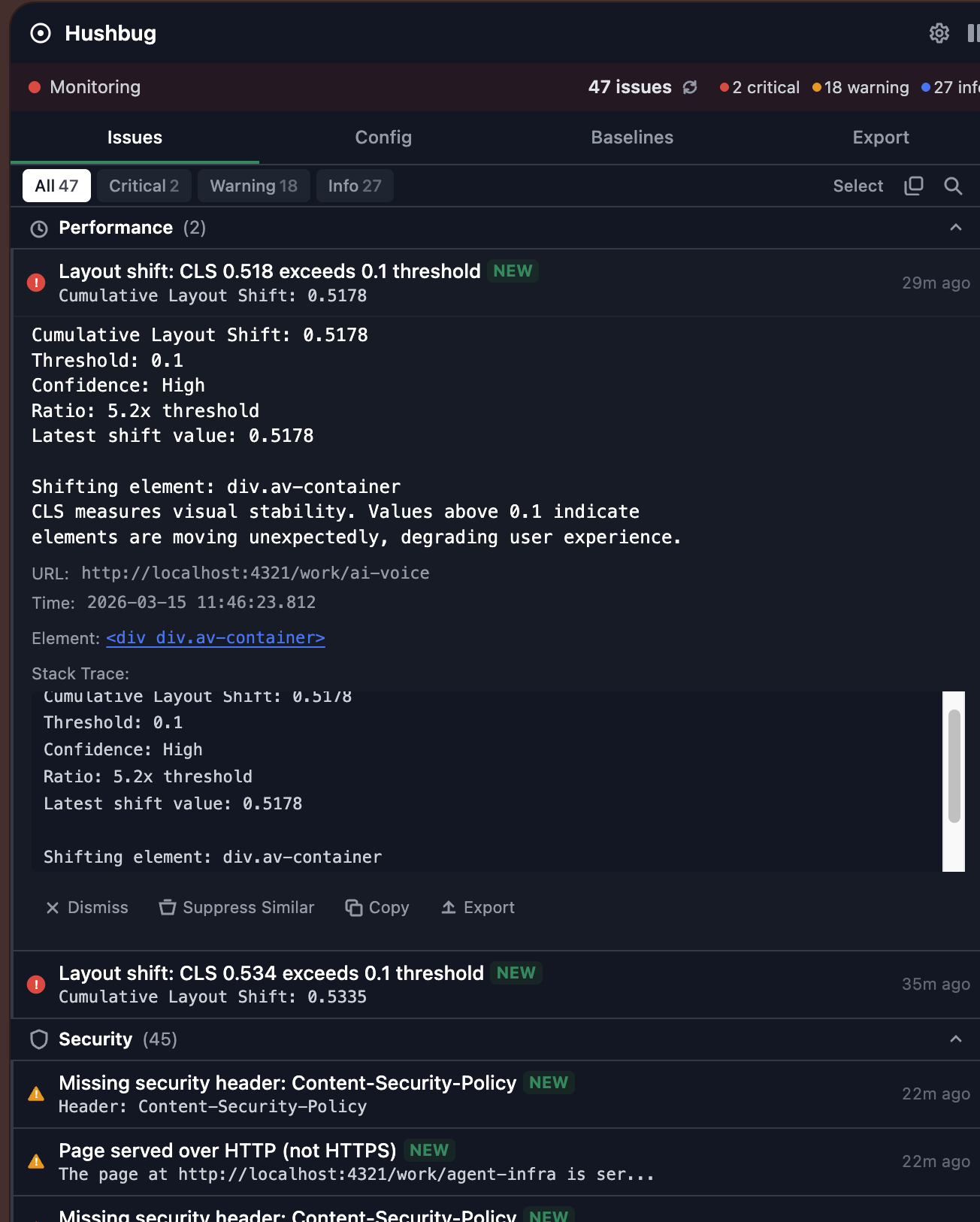
Grouped by category, detail on expand Issues are grouped by category and sorted by severity. Each card shows type, message, and timestamp. Click to expand for stack traces, request details, and action buttons. The list stays scannable even with dozens of issues because the detail is hidden until you ask for it.
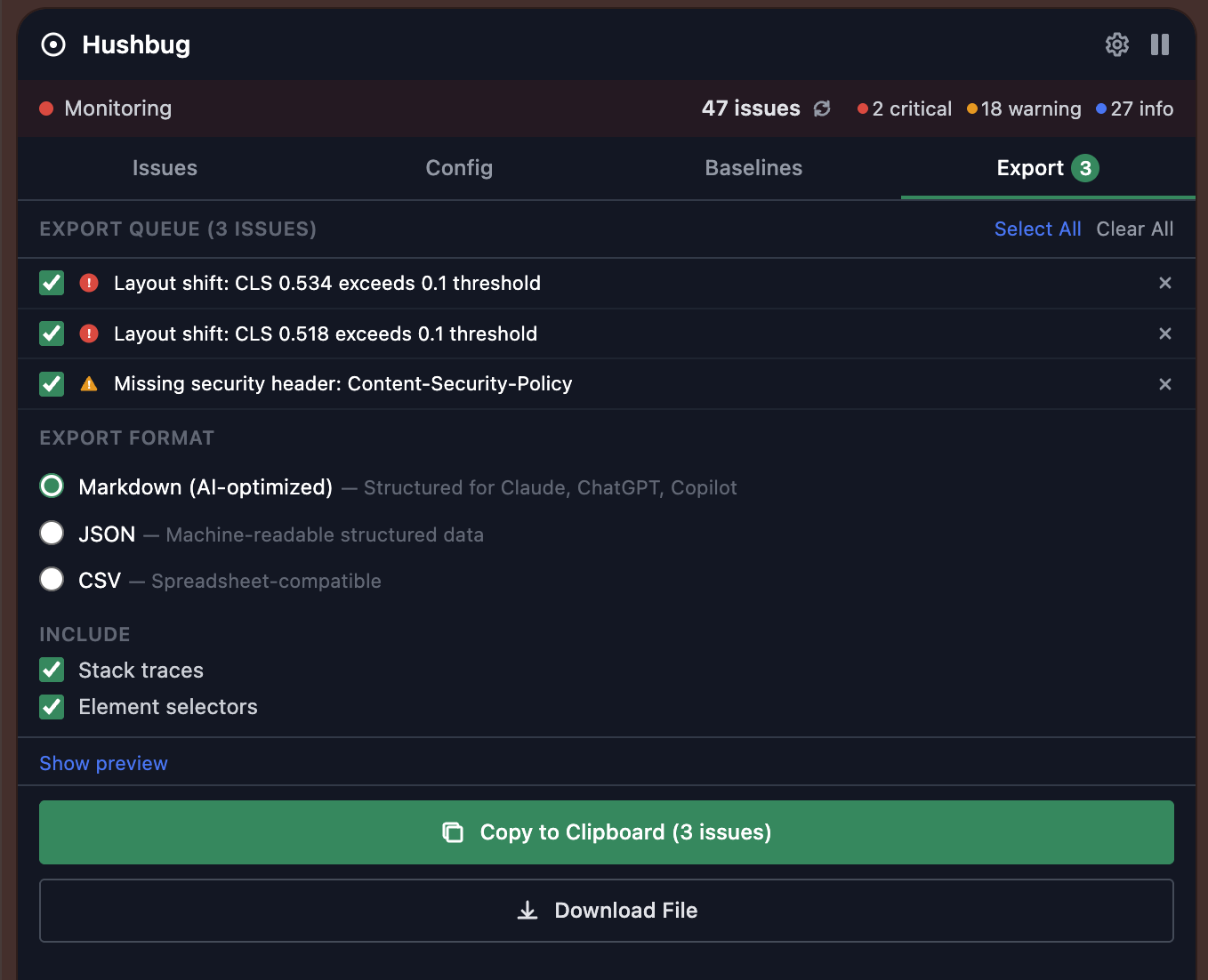
Three formats for different workflows Select issues from the queue and pick a format. AI-optimized Markdown is structured for Claude, Cursor, and similar tools. JSON is for pipelines. CSV is for spreadsheets. Each format is shaped for its destination, not just a raw dump of the same data.